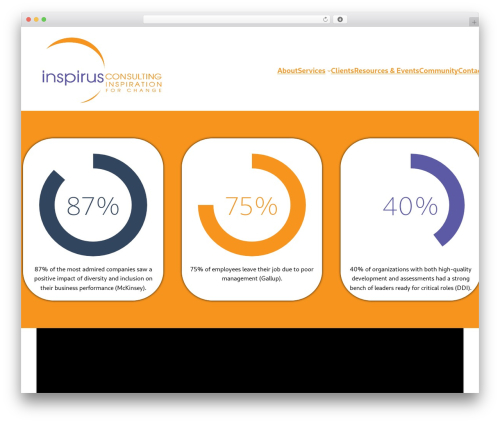
CC Circle Progress Bar (cc-circle-progress-bar) free WordPress plugin

Simple circle animated progress bar.
No limit to use.
Demo link: http://www.crazy-coder.com/plugins/cc-circle-progress-bar/
Features
1. It will show any type of progressbar.
2. You can controll height and width.
3. You can control thickness.
Usages
Just use [progressbar] short code.
Simple usage instruction:
1. Install This plug in your WordPress Site
-
Usage
[progressbar]this shortcode where you want to use it. -
You can control this shortcode via attributes. There is all attributes.
id=”1″ => ID of every progressbar. Default value1. Must change this value if you add more then one progress bar in post or page.
dimen=”250″ => Height and width. Default value250. You can control height and width via this.
text=”90%” => Text in the circle. Default value90%. Change it with your text or you can keep it blank if you don’t wanna put any text.
info=”Photoshop” => Information of the circle, it shown under text. Default valuePhotoshop. Change it with your text or you can keep it blank if you don’t wanna put any text.
width=”10″ => Thickness of bar. Default value10. You can change it with your with your value.
fontsize=”25″ => Font size of text. Default value25. You can change it with your with your value.
percent=”90″ => Percent of progress. Default value90. You can change it with your with your value, value should be in 1 to 100.
fgcolor=”#eee” => Foreground colour of progress. Default value#eee. You can change it with your with your value, value should be in RGB colour format start with Hash(#).
bgcolor=”#000″ => Background colour of progress. Default value#000. You can change it with your with your value, value should be in RGB colour format start with Hash(#).
fillcolor=”#000″ => Fill colour of progress. Default valuenone. You can change it with your with your value, value should be in RGB colour format start with Hash(#).
type=”full” => Type of progress. Default valuefull. You can its value ashalfoffullfor showing half or full view of progressbar.
border=”outline” => Border type of progress. Default valueoutline. You can its value asoutlineofinline. -
So, what right now?
Author: Harun R. Rayhan (Cr@zy Coder)
Plugin folder: cc-circle-progress-bar
Tags: animated progressbar, circle, circle progressbar, progress bar