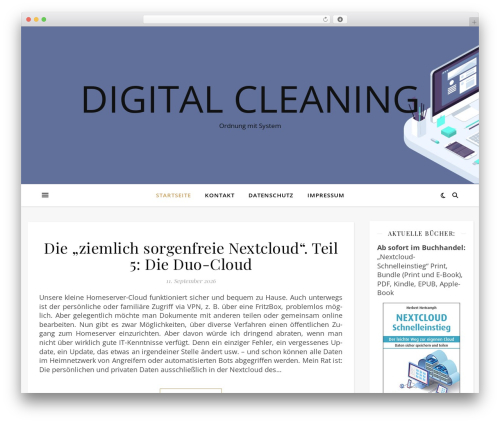
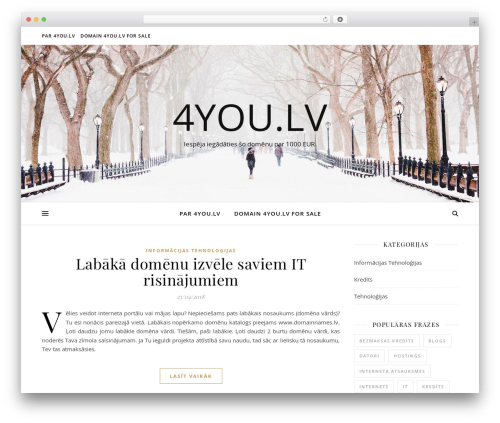
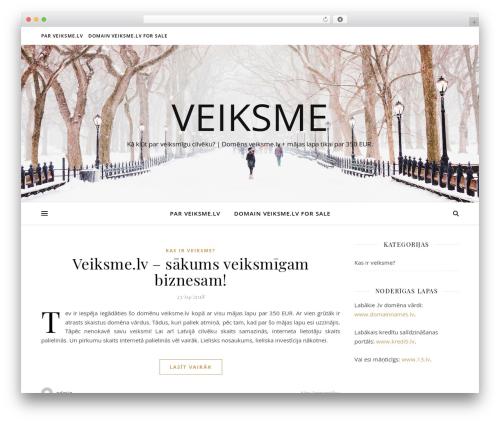
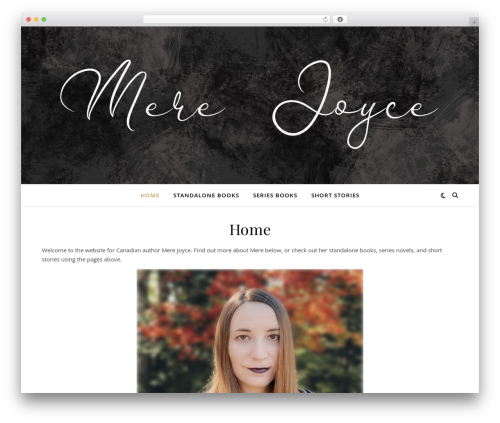
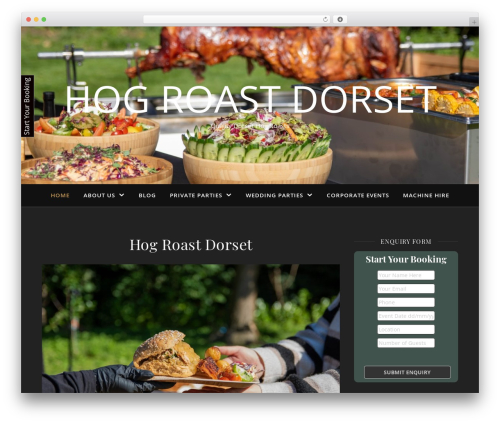
Ashe is a free WordPress theme from WP Royal built for bloggers and small publishers who want a clean, image-led layout without paying for a premium build. It's been tracked since 2018 and, based on our analysis of live sites, still sits among the few hundred most used themes we track — not a leader, but far from obscure.
A free blog theme with a shop bolted on
WP Royal describes Ashe as a personal and multi-author blog theme, and the author calls it suited to lifestyle, food, travel, photography and small business sites, with WooCommerce support layered on for anyone who wants a basic storefront. That's a fair summary of what it is: a minimal, mobile-friendly blog skeleton, not a dedicated ecommerce theme. Unlike a lot of free themes, it isn't distributed through the WordPress.org repository, so you're getting it and its updates directly from the author rather than through the standard plugin-style review pipeline.
Who actually installs it
Studying the sites running it, the lean is toward personal blogs and portfolios first, with photography and creative sites, travel and hospitality pages, and community or religious sites showing up next most often — food and small education sites trail behind. No single category dominates; this is a generalist blog theme, not a niche one. By business type, services and personal sites make up the bulk, with nonprofits appearing more than you'd expect and straight ecommerce use staying a minority. It shows up across English, German, French, Dutch and Swedish sites in fairly even spread, from author pages to travel-tour bookings to small catering companies — a sign of a theme picked by individuals and small operators rather than agencies working to a brief.
What it's actually good at
It's free, it's light on assumptions, and it plays well with whichever builder you already know — Elementor shows up constantly alongside it in the plugin data, alongside Beaver Builder, Divi and SiteOrigin support claimed by the author. Built-in extras like an Instagram widget, footer menu support and cookie-consent compatibility save a beginner from hunting down separate plugins for basic GDPR needs. For someone starting a first blog with no development budget, that's a genuinely useful starting point.
Where it starts to hurt
There's no ecosystem of child themes to extend it, and its usage trend is holding steady rather than growing — this is a mature, settled theme, not one gaining new ground. Because it lives outside the official repository, support and long-term update guarantees rest entirely on WP Royal continuing to maintain it. And while the WooCommerce support is real, the plugin data shows WooCommerce trailing well behind SEO and form plugins in frequency — most Ashe sites are publishing content, not running a store, so don't expect deep commerce features.
Building pages, not writing code
Ashe supplies the frame — header styles, sliders, widget areas — and expects you to build actual pages with a separate builder plugin. In practice that means Elementor most often, based on how frequently it turns up on Ashe installs, with Contact Form 7 and Yoast SEO rounding out the standard stack almost everywhere. Cookie-notice plugins appear often too, likely a byproduct of the theme's GDPR-focused feature set rather than a coincidence.
If Ashe isn't quite right
Sitting near Ashe in usage and sharing much of its tag profile — blog layouts, ecommerce hooks, flexible headers — are Customify, PopularFX and MediaLab V4, any of which are worth a look if you want a similar free-blog feel with slightly different defaults. WP Royal itself also builds Royal Elementor Kit and BARD, both worth comparing if you like Ashe's approach but want a different starting template from the same shop.
Questions worth answering first
Is Ashe actually free?
Yes. It's a free theme distributed by WP Royal directly rather than through the WordPress.org repository, so downloads and updates come from the author's own channels.
Does Ashe come with its own page builder?
No — it's designed to work with existing builders. In practice Elementor is the one most commonly paired with it, though Beaver Builder, Divi and SiteOrigin are also supported.
Can I run a real online store on Ashe?
It has WooCommerce support for a basic storefront, but the sites running it skew heavily toward blogs and content, not stores — treat the ecommerce piece as a bonus, not the main event.
So, should you use it?
If you're starting a personal blog, a photography portfolio, a travel or hospitality site, or a small community page and want something free that won't fight your chosen builder, Ashe is a reasonable pick — it's mature, well-documented by the author, and clearly still in active use across a broad mix of small sites. If you need a serious online store, guaranteed long-term support through the official repository, or a theme built specifically for corporate or agency work, look further down this page at the alternatives instead.
Last updated 2026-11-27